Linking the project
info
This guide was written for flutter_rust_bridge v1, thus some content may be outdated. The quickest approach to integrate is to follow the one-click approach in flutter_rust_bridge's quickstart page.
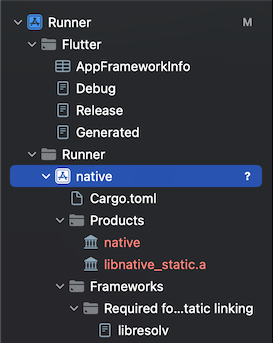
Open ios/Runner.xcodeproj in Xcode, then add $crate/$crate.xcodeproj as a subproject
of the Runner project. It should look like this:
Click on the Runner root project, then go to the Build Phases tab.
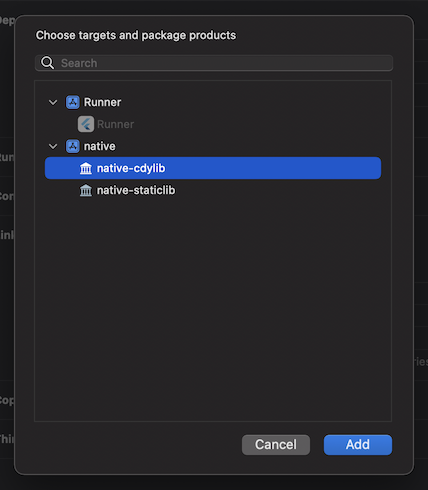
First, expand the Dependencies phase, and add $crate-staticlib
for iOS, or $crate-cdylib for MacOS.
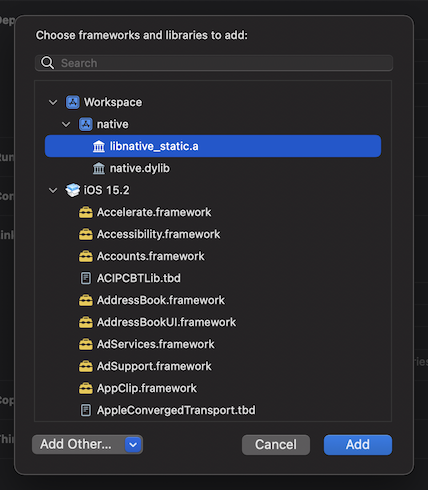
Then, expand the Link Binary With Libraries phase, and add lib$crate_static.a for iOS, or $crate.dylib for MacOS.